Event management > Routes
A Route is used to organise and group Guests who share the same travel arrangements. For example, if five Guests are taking the same flight, you do not need to create five separate travel records. Instead, you can create a single Route containing that flight and assign all five Guests to it. This makes the travel easier to organise and manage.
How to Create a Route
Via Event management > Routes
1. Select - Create New Route - a new page will open where you can add the route details, Please fill all mandatory fields.
2. Select - Create route - once fields completed.
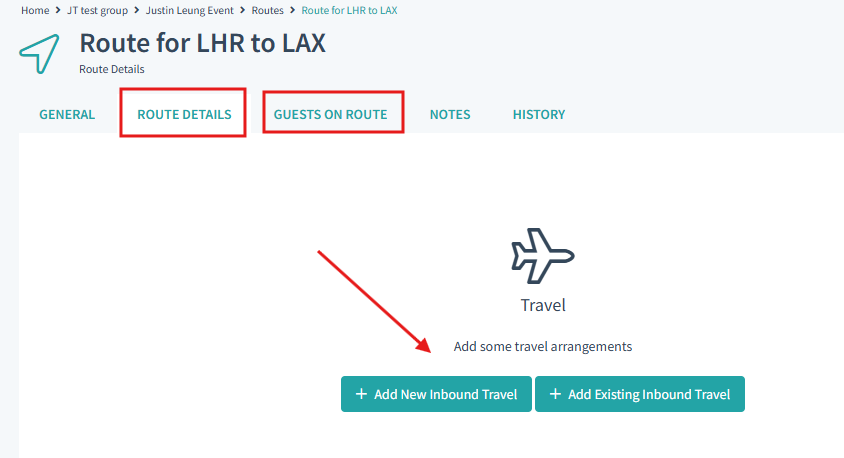
3. You will be taken to the the Route Details Tab - you have the option Add New travel or Add existing Travel. Choose whichever is relevant.
4. Once added you can go to the Guests on Route tab to assign Guests to the Route.
> Once this is done you can see that the Travel is Applied via Event management > Guests > guest travel
Was this article helpful?
That’s Great!
Thank you for your feedback
Sorry! We couldn't be helpful
Thank you for your feedback
Feedback sent
We appreciate your effort and will try to fix the article