Event management > Travel Management
Instructions with screenshots
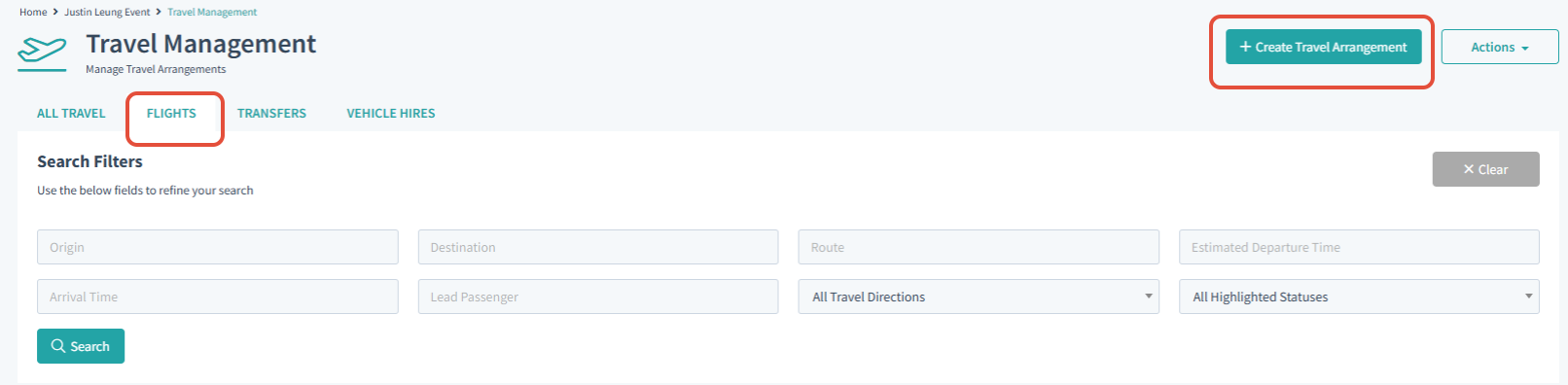
> From Travel Management select the Flights tab
> Then from the Top right corner select 'Create Travel arrangement'
> Fill all applicable and mandatory Fields which have a red star next to the field name. This should be done for all the tabs, General, Additional and Costs
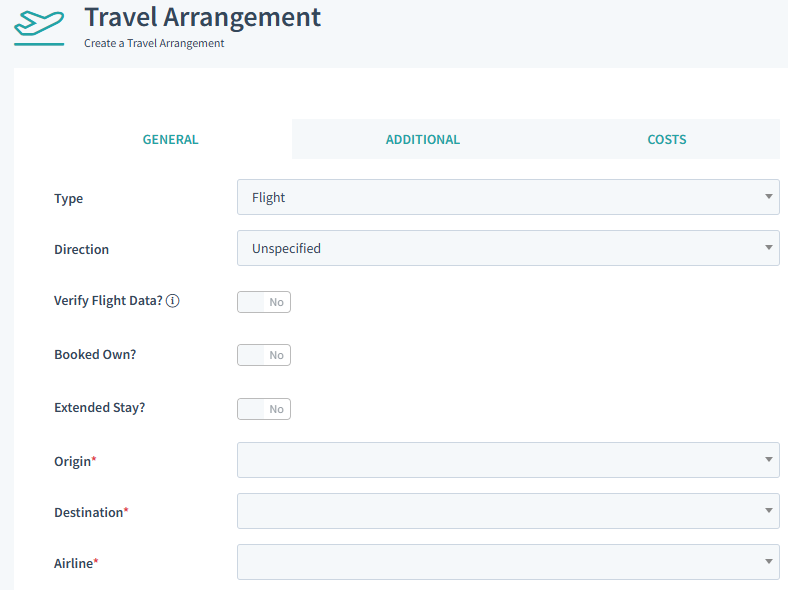
Remember to Select Save changes from the bottom of the page to complete the creation of the arrangement.
Was this article helpful?
That’s Great!
Thank you for your feedback
Sorry! We couldn't be helpful
Thank you for your feedback
Feedback sent
We appreciate your effort and will try to fix the article