Event management > Travel Management
Instructions with screenshots
> From Travel Management select the Transfers tab
> Then from the Top right corner select the 'Actions' button
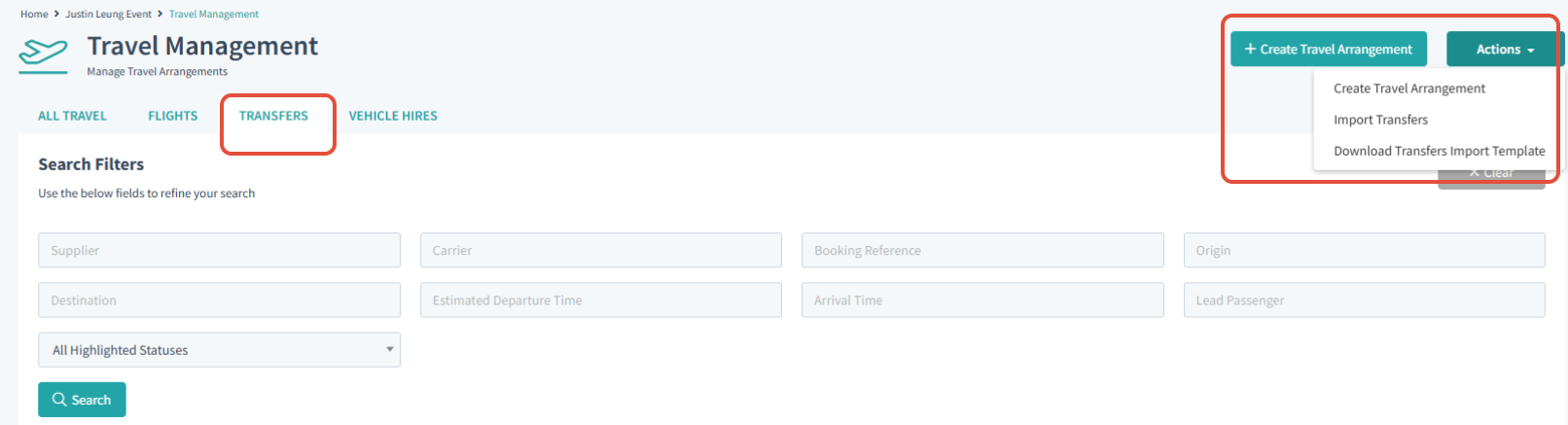
> Download the 'Transfer import template'.
> Fill all mandatory/applicable fields from the Transfer import template
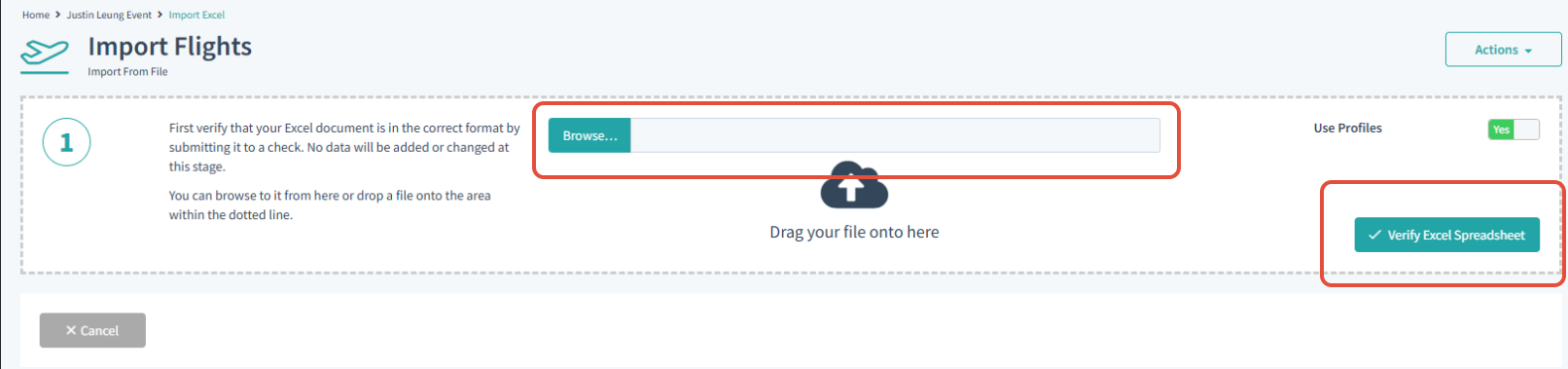
> Use the 'Actions' button again from the Transfers tab and select 'Import Transfers'
> You can browse or drag and drop the Transfer import template into the Field.
> Then 'Verify Excel Spreadsheet' this will check the formatting of the Spreadsheet so that it could be implemented correctly.
Please contact a member of the Guestia help team if you require assistance with filling and uploading any import templates. We can also provide an Import Template Cheat sheet to help you understand the format required for each template.
Was this article helpful?
That’s Great!
Thank you for your feedback
Sorry! We couldn't be helpful
Thank you for your feedback
Feedback sent
We appreciate your effort and will try to fix the article